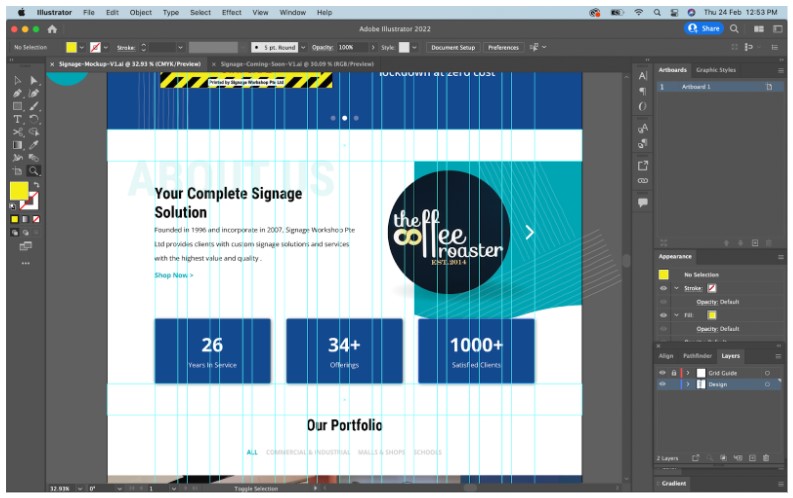
Tips For Static Mockups
1. Artboard Size
a) 1500px width, can start with a 4000px height and change accordingly
2. 12 Column Grid Guide
a) Create a content width guide (1200px ~ 1300px for a ‘full width look’)
b) Select rectangle, go to objects > path > split into grid
c) Set 12 columns, gutter: 20 ~ 30px, click OK
d) Right click and click ‘make guides’ and ‘lock guides’
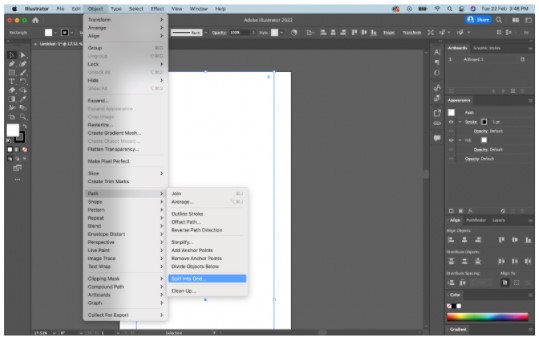
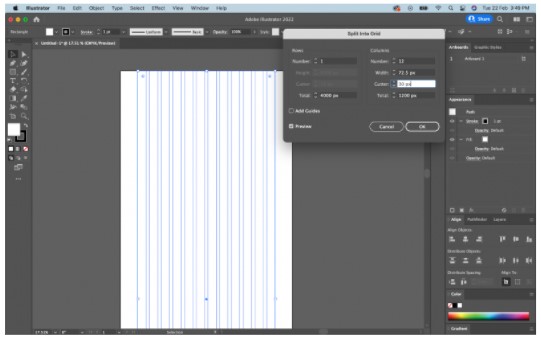
☆ Create one layer for design and one layer for guide, then lock the guide layer so it doesn’t interfere and you can easily adjust it as you work on the mockup
3. Moodboard
a) Create a moodboard – throw in colours, images, layouts inspos into ai
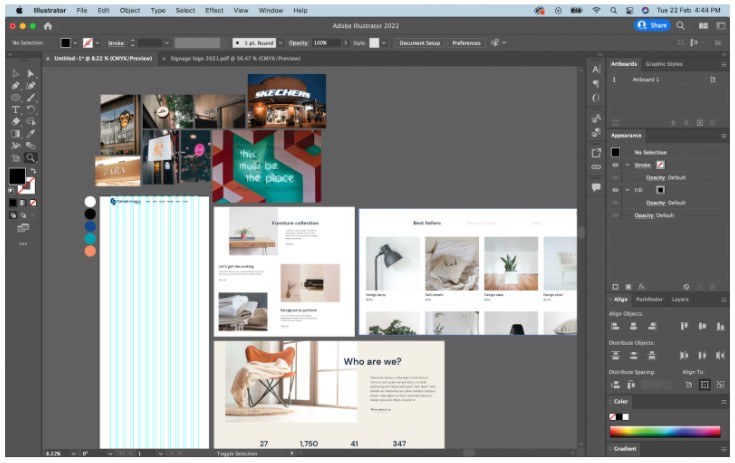
☆ Where to find inspirations:
– Pinterest
– Drible
– Awwwards
– Behance
– Google
– Ma Thin’s Past Work (Find here)
☆ Where to find images/vectors/icons: click here for list
☆ Where to find fonts: Google Fonts
(If you directly download, it IS a G. font, if you redirects you another site, it is NOT a G. font)
4. Fonts
a) Always use google fonts unless clients have a fixed custom font
☆ Where to find fonts: Google Fonts
(If you directly download, it IS a G. font, if you redirects you another site, it is NOT a G. font)
b) Font Sizes:
– H1: 50 – 60pt
– H2: 40 – 50 pt
– H3: 35 – 40 pt
– H4: 30 – 35 pt
– H5: 25 – 30 pt
– H6: 20 – 25pt
– Body: 19 – 21pt
– Navigation (Menu) & Footer: Same as body
☆ These sizes are by no means set in stone, please adjust according to font family etc
☆ Feel free to play around with line height and letter spacing / kerning as seems fit
5. Consistency Is Key!!
a) Section paddings (top & bottom) must be equal, create guides to keep them in check
b) Suggested: 100px in height minimum
c) Consistent font sizes across
d) Alignment of content to content width