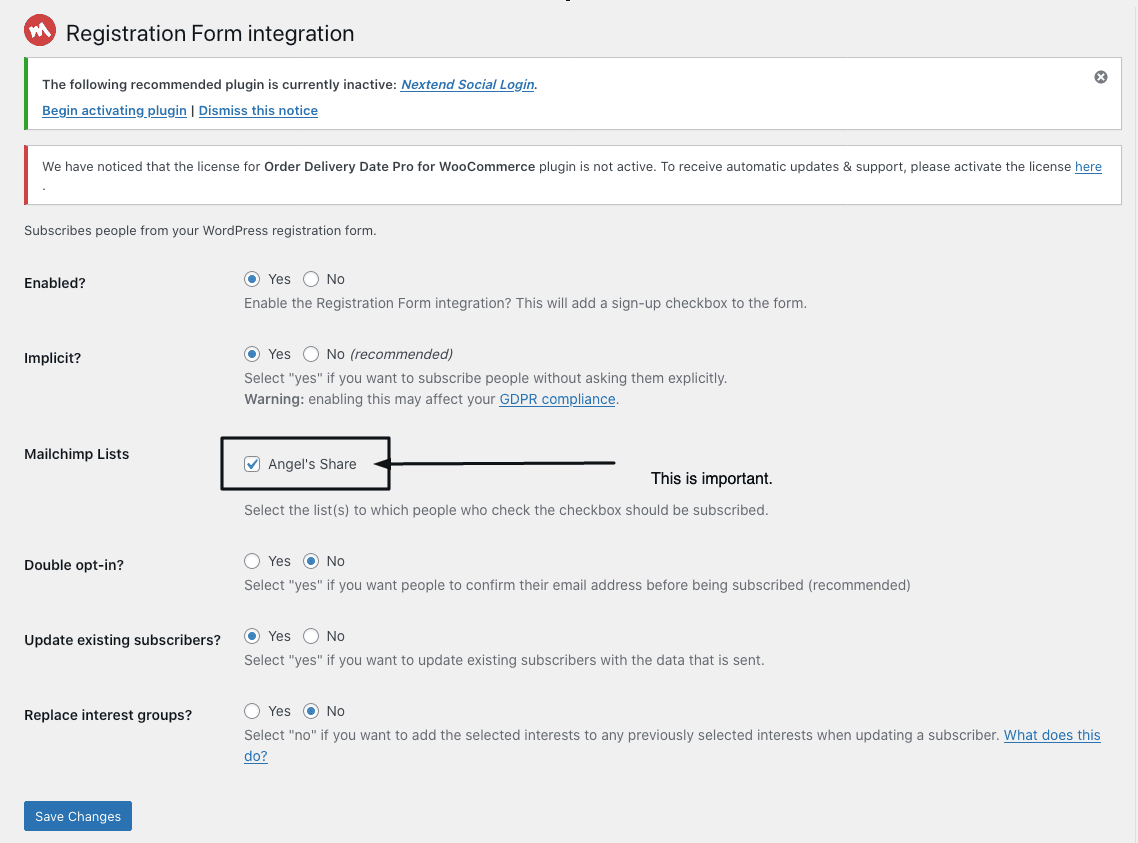
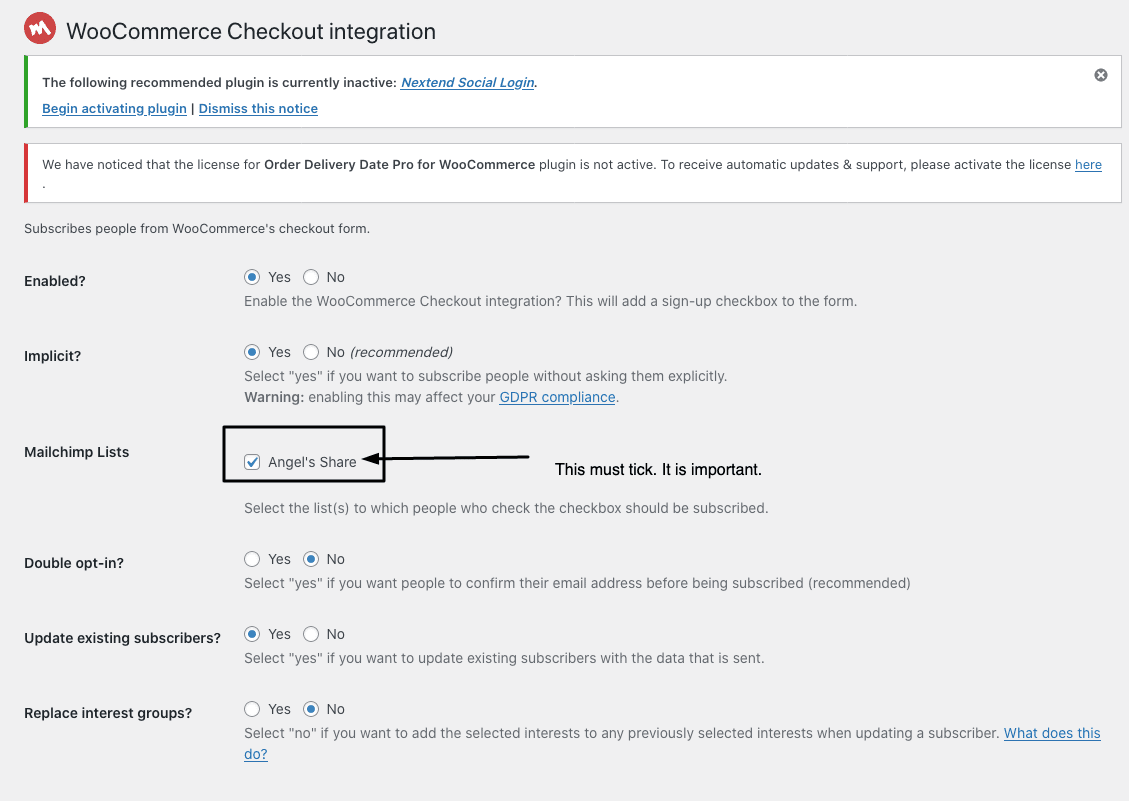
Mailchimp can be connected to your WordPress website to facilitate email collection and email blast campaigns. To do so, a retrieval of mailchimp’s API key is required.
How to get the API KEY?
Client to provide mailchimp login > you need to login to mailchimp first (it may request for a verification code)
After you successfully login to your Mailchimp account, use this link to get your Mailchimp API key. Alternatively, once logged in, go to Account > Extras > API Keys.
API KEY ready –
If the client provides you with the api key then you can directly login to wordpress > dashboard > MC4WP > Mailchimp.
Step 1 – 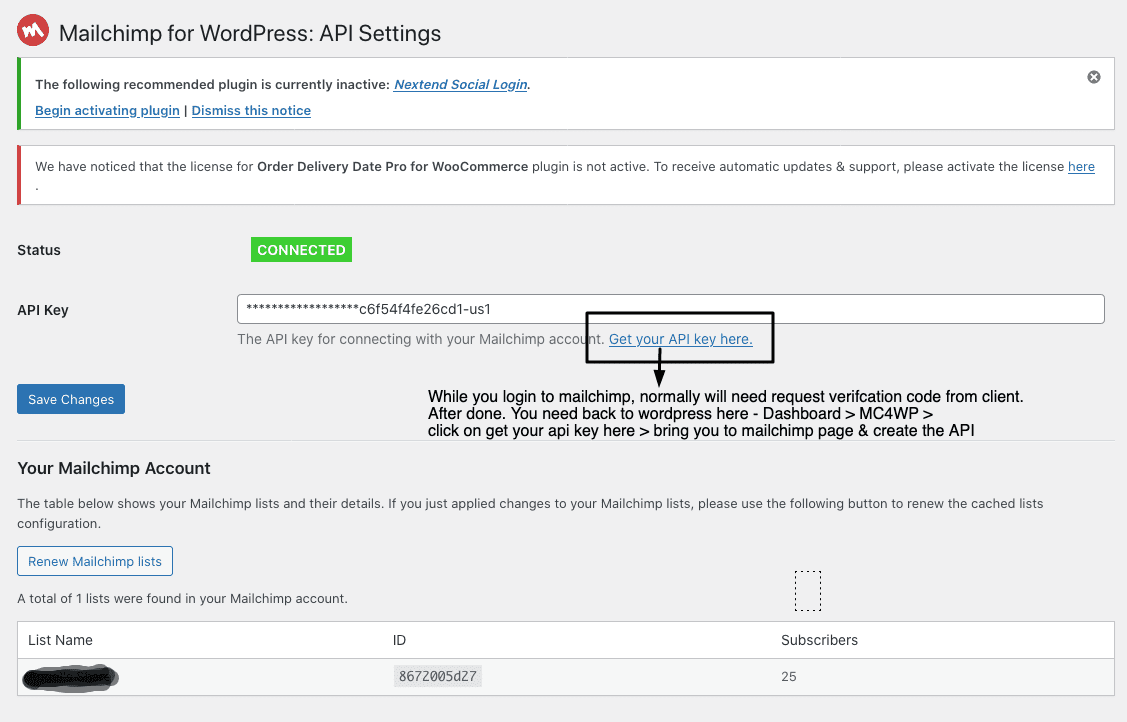
Step 2 – Go to Integrations
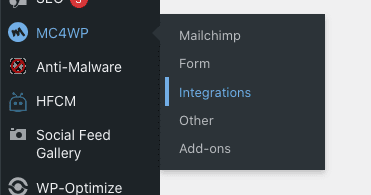
Step 3 – Here is the list you need integrate the apps.

Step 4 – Connect Contact form 7 to Mailchimp.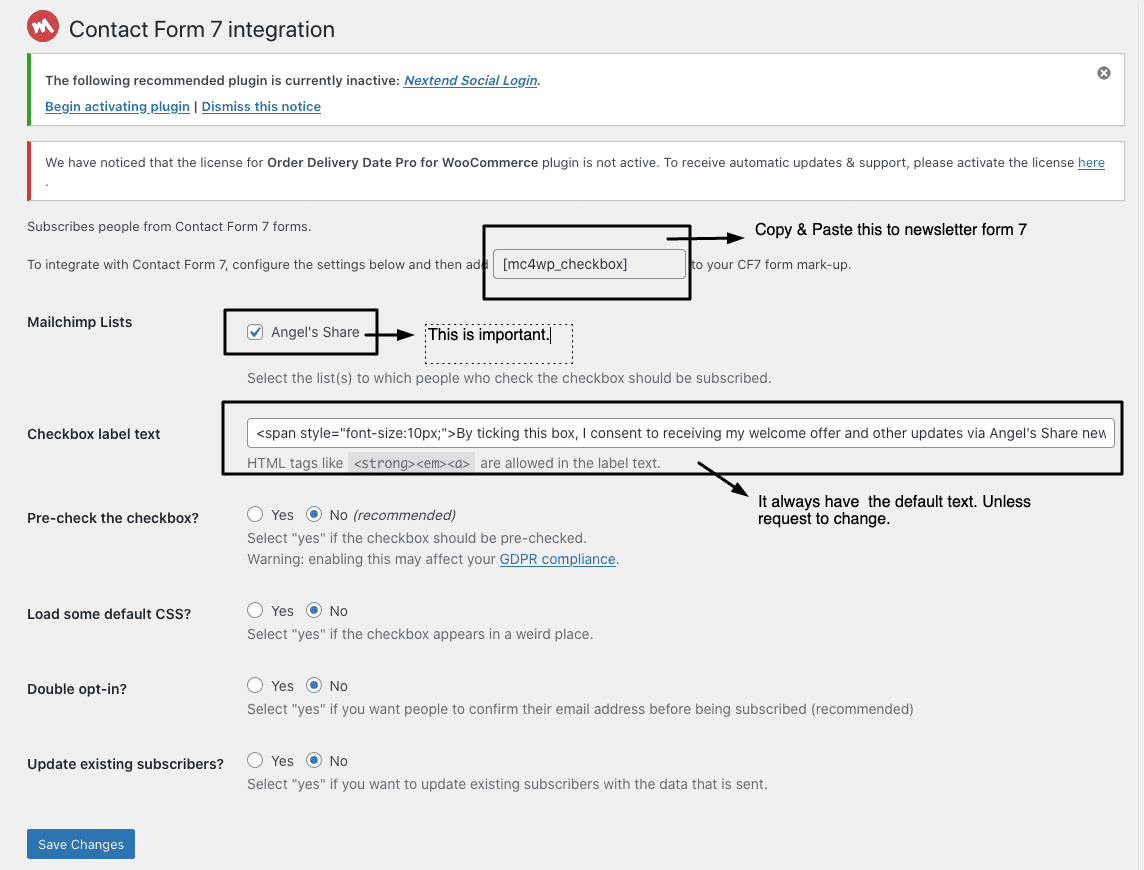
Step 5 – Connect Registration & Check out