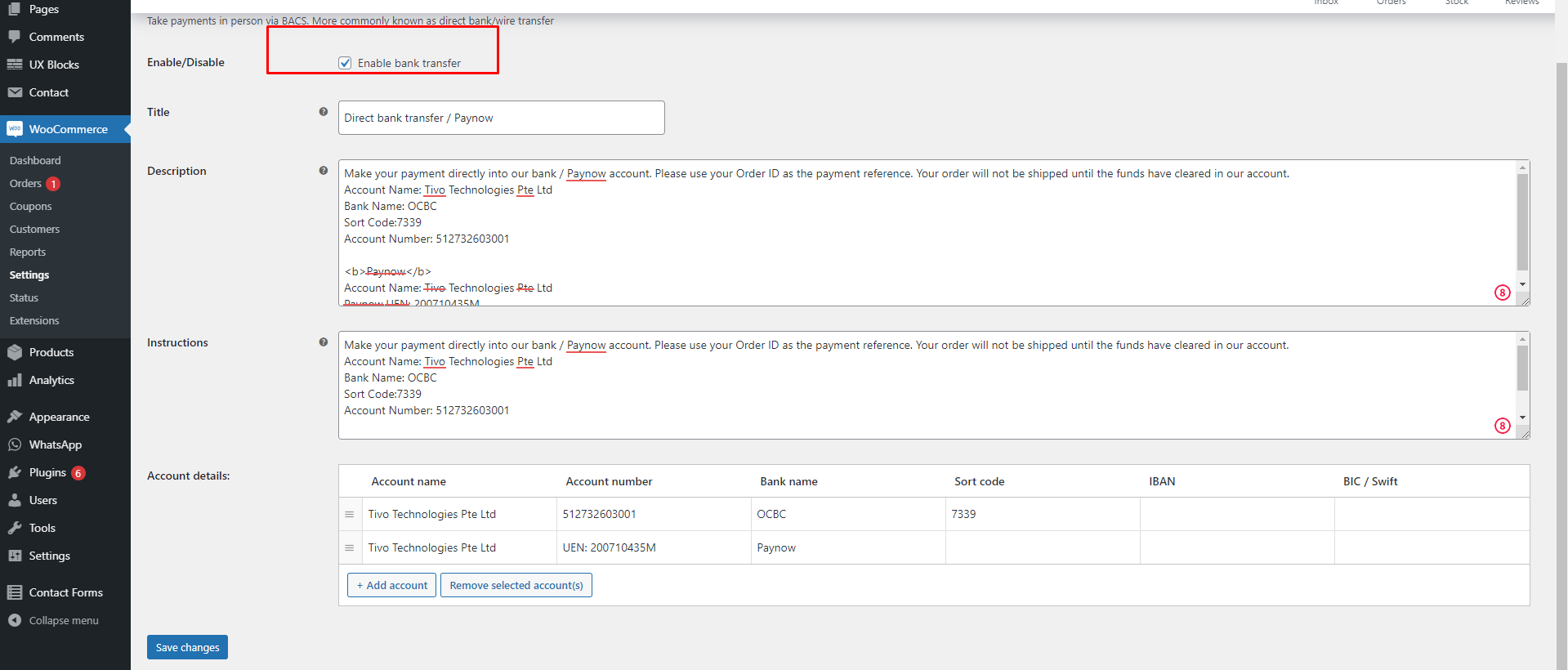
How do we normally do Direct bank transfer + Paynow steps every time:
Step 1: To Check on Kickoff Document first, does the Paynow is “Manual Paynow” Or “Automated Paynow”. If it is a “Automate Paynow” you can click here to review how to set it.
Step 2: Let’s go to admin panel, find “Woocommerce” > “Setting” > “Payment” and found the “Direct Bank Transfer”. For Example you can see the image below.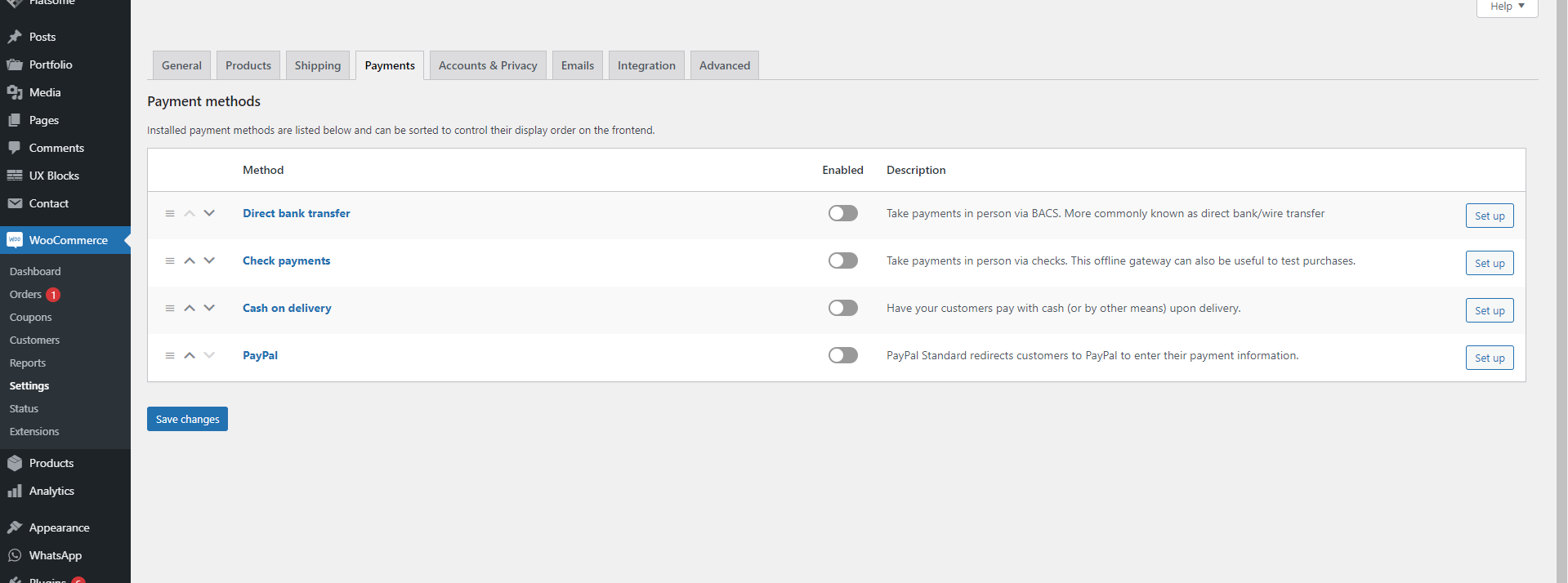
Step 3: In The Kickoff there, PM will provide the “Direct Bank Transfer” Detail, if not you can ask them/ mention in the Group Channel, then you can just copy if there have the field like this image.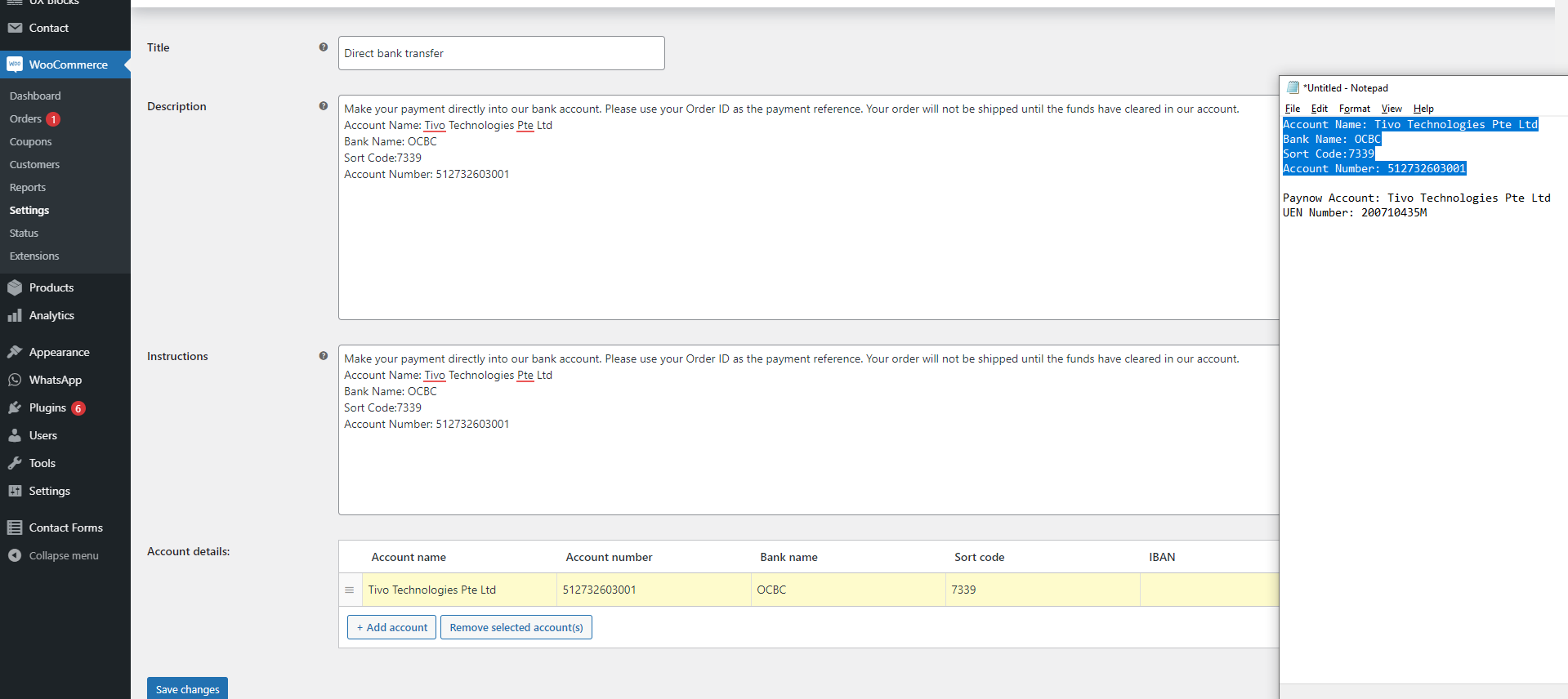
As you can see there is not “Iban” so we can just ignore, and we just need to make sure the DESC and the Instructions is same, so mean you can just copy what you have write in the DESC. For DESC field, we just need to leave the default field no need change and add the Infomation of the DBT(Direct Bank Transfer) detail.
Step 4: If got Manual Paynow , then need take note on the Red column in the below image.
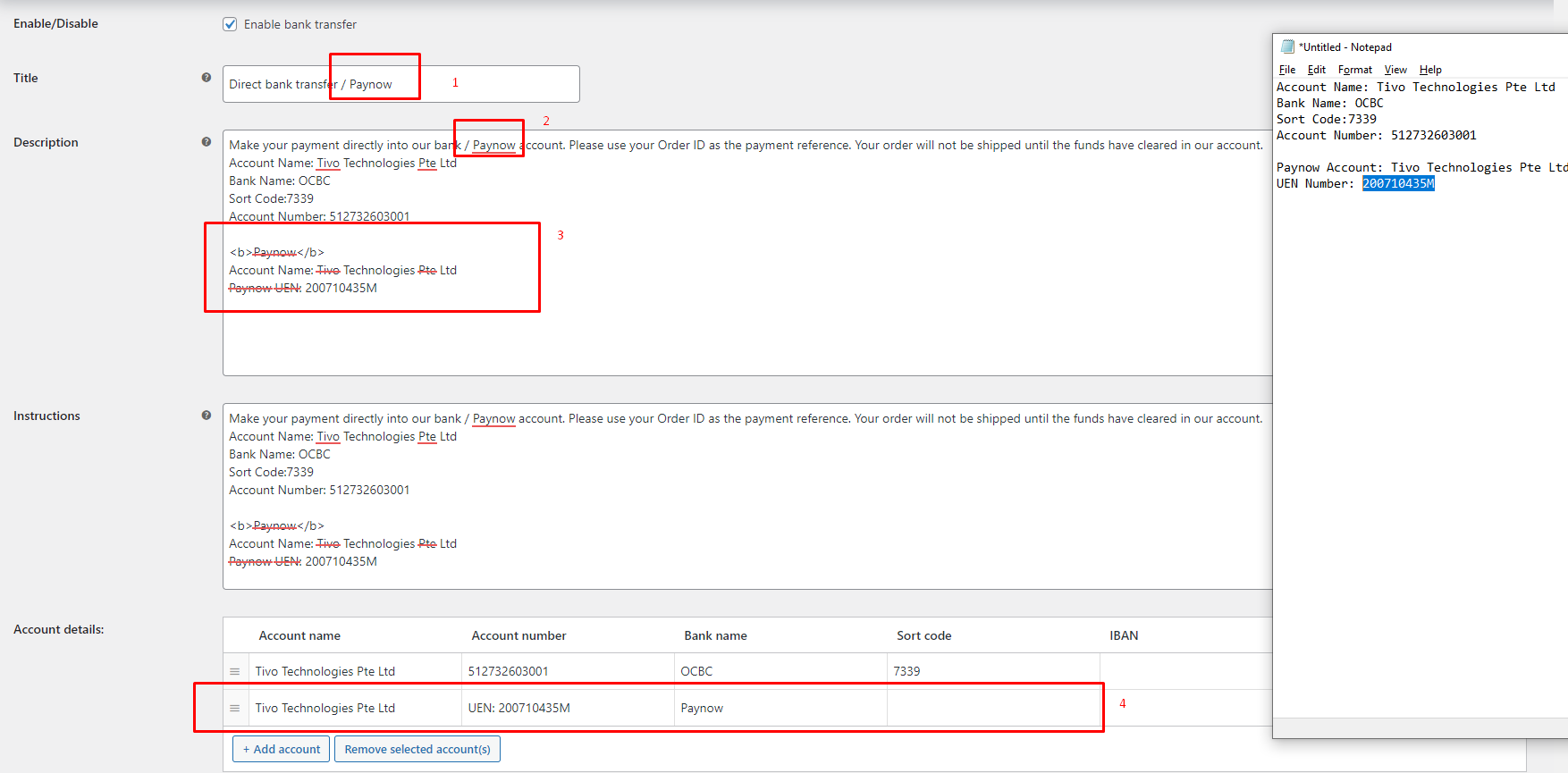 Column 1: Need to add a / Paynow
Column 2: Same with Column 1
Column 3: Need to use HTML to Bold the “Paynow” which is using “<b></b>” and also Account Detail like Account Name and Paynow UEN Number.
Column 4: Just to make sure the detail is follow in the Kickoff, to take note here is normally we will put the Account Number as “UEN: (Account Number)” like what have show on the image.
Step 5: Make sure everything is fine, and it have been check the checkbox (Enable) then Save It, so now the setup is Done.